
Getting Started with JSONL: A Practical Guide for Data Engineers and AI Practitioners
JSONL lets you process massive datasets line by line, no memory explosions, no parsing headaches. Here’s how to start using it.

Last week, a colleague pinged me about a pipeline that kept crashing. The culprit? A 12GB JSON file that their ETL job tried to load entirely into memory. The fix took five minutes. Convert the file to JSONL, read it line by line, move on with life.
This keeps happening. Teams wrestle with bloated JSON arrays or fight CSV’s quirks around nested data, and nobody stops to ask whether a simpler format exists. It does. It’s called JSONL, and it’s been quietly powering AI training pipelines, log ingestion systems, and streaming architectures for years.
JSONL won’t solve every problem. But for a surprising number of data engineering and AI workflows, it’s the most practical choice you’re not using yet.
What is JSONL?
JSONL stands for JSON Lines. The idea is almost embarrassingly simple: take a file, put one valid JSON object on each line, and call it a day.
That’s it. No wrapper array. No commas between records. No closing bracket at the end. Each line is self-contained and independently parseable.
Here’s what a JSONL file looks like:
{“id”: 1, “name”: “Alice”, “role”: “Engineer”}
{“id”: 2, “name”: “Bob”, “role”: “Data Scientist”}
{“id”: 3, “name”: “Ganesh”, “role”: “Tech Lead”}
Compare that with standard JSON, where you’d wrap everything in an array, add commas, and force any parser to read the entire structure before it can hand you a single record. With JSONL, your code reads one line, parses one object, processes it, and moves to the next. Memory stays flat regardless of file size.
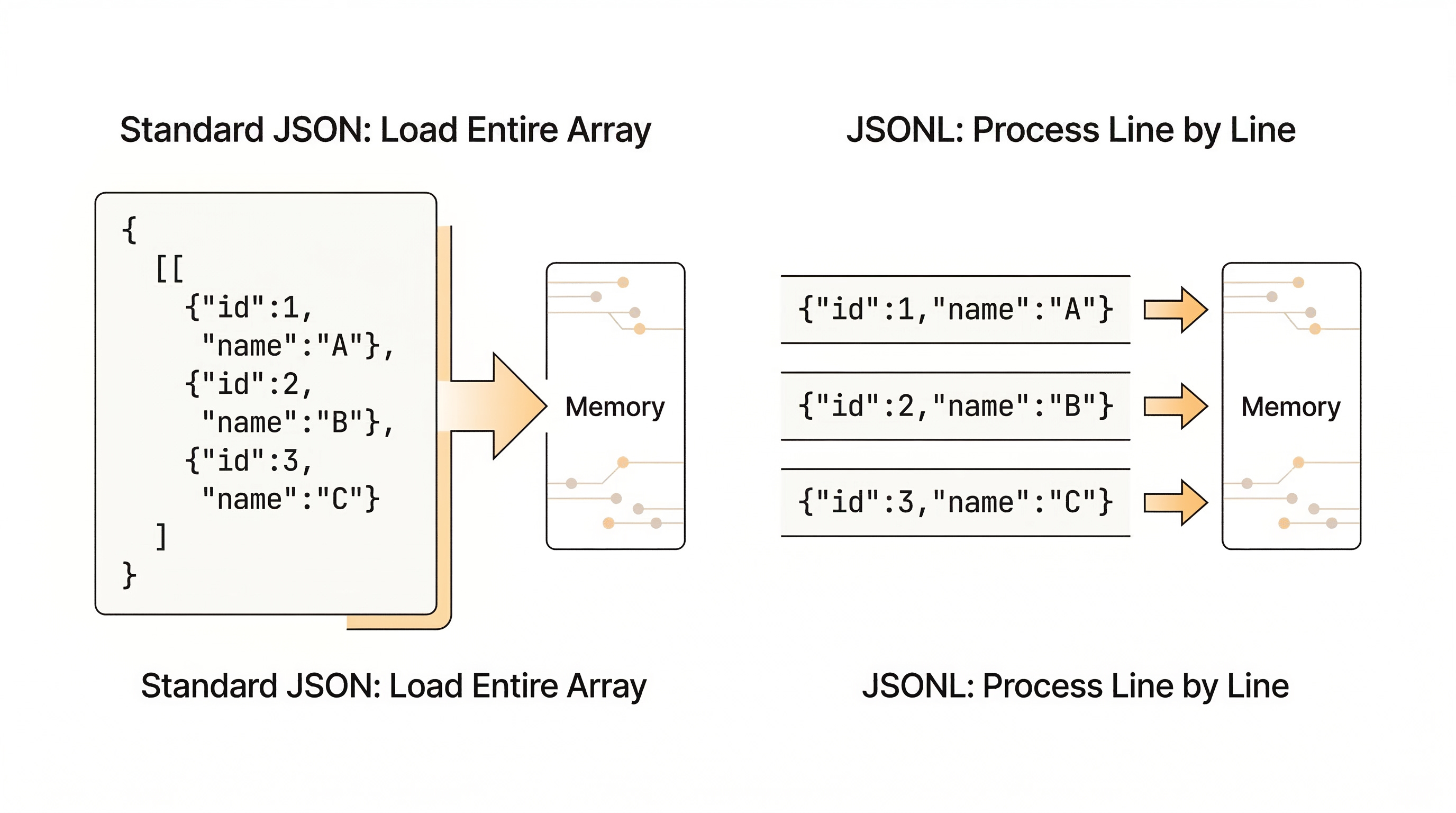
The formal spec lives at jsonlines.org, but honestly, the format is so intuitive that most engineers start using it before they even know it has a name.
Why JSONL Matters Right Now
Three trends have pushed JSONL from obscure to essential.
AI and LLM training pipelines:
If you’ve fine-tuned a model using OpenAI’s API, you’ve already used JSONL. Training data for GPT-style models, embeddings, and classification tasks ships as JSONL because each record is an independent training example. Line-delimited means you can shuffle, sample, or split files with basic Unix tools. Try doing that with a nested JSON array.Log and Event Streaming:
Server logs, application events, clickstreams: they’re all naturally line-oriented. JSONL fits like a glove. Each event is one line. You can tail a file, grep for a field, or pipe it into Kafka without a custom parser.Memory-Safe Data Ingestion :
At a client project, we had 50GB of semi-structured product data from a supply chain system. The original pipeline loaded everything into a pandas DataFrame and promptly ran out of memory. Converting to JSONL and streaming line by line through Spark let us build embeddings on a modest cluster without a single OOM error.
JSONL also plays nicely with the tools you already use. Python’s standard library handles it. Pandas has read_json with lines=True. Spark reads it natively. Every major cloud platform, AWS, GCP, Azure, supports JSONL in their data ingestion services.
JSONL vs. the Alternatives: Picking the Right Format
No format is universally best. Choosing between JSONL and its peers depends on what you’re optimizing for. Here’s an honest comparison.
JSONL vs. CSV :
CSV works great for flat, tabular data. But the moment you need nested objects, arrays inside fields, or variable schemas across records, CSV falls apart. It also has no real standard for escaping. Quotes inside quoted strings? Good luck. JSONL handles hierarchical data naturally because each line is just JSON. If your data is strictly flat and headed for a spreadsheet, CSV is fine. For everything else, JSONL is more reliable.
JSONL vs. Standard JSON:
Standard JSON forces you to load the entire array to parse a single record. Appending a new record means rewriting the file. JSONL lets you append with a simple file write and parse record by record. For small config files or API responses, standard JSON is perfectly fine. For anything over a few hundred megabytes, JSONL is the practical choice.
JSONL vs. Parquet:
This isn’t really a competition; they solve different problems. Parquet is columnar, compressed, and optimized for analytical queries. It’s the gold standard for data lakes and warehouses. JSONL is a transit format. You use it to move data, ingest records, and feed pipelines. You can read a JSONL file with cat and a text editor. Reading Parquet requires specialized tooling. In most pipelines, data arrives as JSONL and lands as Parquet.
JSONL vs. Avro:
Avro enforces schemas and supports schema evolution, which matters for governance-heavy environments. It’s native to Kafka and the Hadoop ecosystem. JSONL is schema-free, which makes prototyping fast but can bite you at scale when records start drifting. If you need strict contracts between producers and consumers, Avro is the better pick.
JSONL vs. Protocol Buffers:
Protobuf is smaller, faster to serialize, and purpose-built for low-latency service-to-service communication. But it requires .proto definitions to decode, so it’s not self-describing. JSONL is human-readable and portable, which is why data engineers prefer it for pipelines while backend engineers reach for Protobuf in gRPC services.
The short version: pick JSONL when you need a human-readable, streamable, schema-flexible format for data exchange and AI workflows. Pick something else when you need columnar analytics (Parquet), strict schema governance (Avro), or low-latency RPC (Protobuf).
Getting Started: Working with JSONL in Python
Reading a JSONL file takes four lines of code:
import json

with open("data.jsonl", "r") as f:
    for line in f:
        record = json.loads(line)
        print(record["name"])
Writing one is just as simple:
import json

data = [
    {"id": 1, "name": "Alice", "role": "Engineer"},
    {"id": 2, "name": "Bob", "role": "Data Scientist"},
    {"id": 3, "name": "Ganesh", "role": "Tech Lead"}
]

with open("output.jsonl", "w") as f:
    for item in data:
        f.write(json.dumps(item) + "\n")
If you’re working with pandas, it’s even shorter:
import pandas as pd

# Reading
df = pd.read_json("data.jsonl", lines=True)

# Writing
df.to_json("output.jsonl", orient="records", lines=True)
For large files where memory matters, stick with the line-by-line approach. Pandas’ read_json with lines=True still loads everything into a DataFrame. If your file is 50GB, that defeats the purpose.
Pitfalls That Will Bite You
Missing Newlines:
Every record must end with a newline character, including the last one. Skip it, and some parsers will silently drop the final record. Others will throw a cryptic error. Always write “\n” after every json.dumps().Inconsistent Schemas:
JSONL doesn’t enforce a schema. That’s a feature and a trap. If record 47,000 has a field called “user_name” while every other record uses “username”, your downstream code will break in a way that’s maddening to debug. Validate your schemas before ingestion. A ten-line Python script that checks key consistency will save you hours.Loading the whole file into memory:
The entire point of JSONL is line-by-line processing. If you’re calling json.load() on the whole file or using readlines(), you’ve lost the advantage. Stream it.
Real-World Scenario: From CSV Chaos to JSONL Clarity
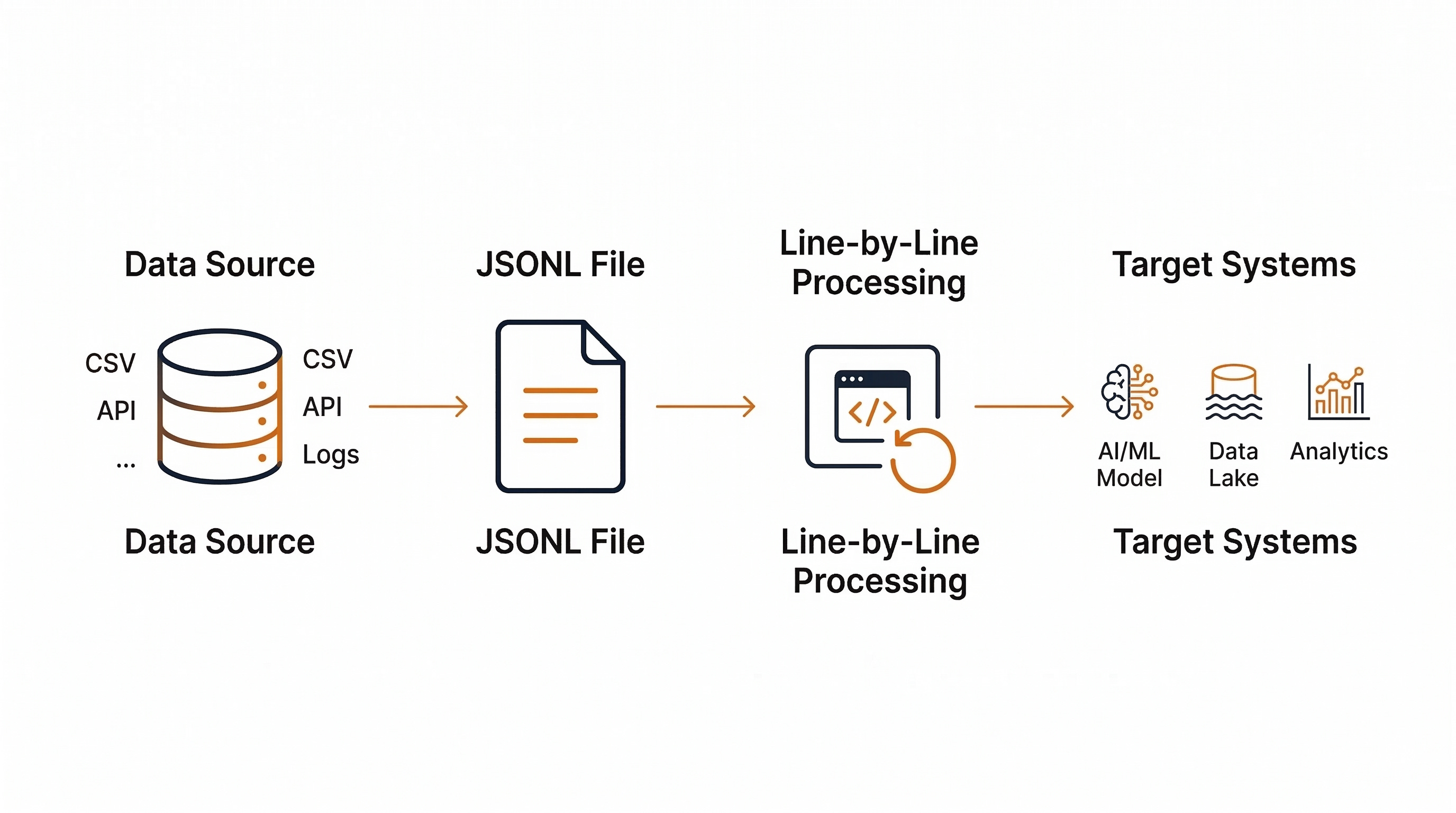
Here’s a pattern I’ve seen play out more than once. A team has a recommendation model that needs retraining. The training data lives in CSV files exported from a legacy system. The CSVs have inconsistent quoting, mixed encodings, and nested product metadata crammed into a single column as pipe-delimited strings.
The fix: convert the CSVs to JSONL. Each product record becomes a clean JSON object with properly nested attributes. Validate the output with a schema check. Feed the JSONL file directly into the model training pipeline, which reads records one at a time.
The result? Parsing errors dropped to zero. Memory consumption during training became predictable. The pipeline ran on a smaller instance size, which cut cloud costs. And when the data team needed to add a new field, they added it to the JSON objects without breaking the existing pipeline, because JSONL doesn’t care about fixed column positions.
My Take
I’ve used JSONL across multiple projects, from feeding NLP models in life sciences to streaming supply chain events into analytics platforms. It’s not glamorous. It won’t show up in any “Top 10 Tools” listicle. But it works, reliably, at scale, with zero dependencies.
The one thing that surprised me: how often teams overcomplicate data exchange. They reach for Avro or Parquet before they’ve even defined their schema. For early-stage pipelines and AI experimentation, JSONL gets you moving in minutes instead of days.
My recommendation: start with JSONL for ingestion and transit. Convert to Parquet or Avro when your data lands in its final home and governance requirements tighten.
Keep your toolchain simple until complexity earns its place.